Bagas leads CRM and community at a consumer brand, and most of his customers buy through marketplaces, so he never gets their contact details. He wants a short form behind a QR code in every package, asking buyers how the product worked out for them. Writing that form from nothing takes longer than it should, so he starts from a template, answers it once as if he were a buyer, and only copies it when the flow feels right.
That is the point of templates in PingPolls. You see exactly what your respondents will see before you commit, and the copy you get is a normal draft that belongs to you, so you can change every question, the look and the logic before anyone answers it.
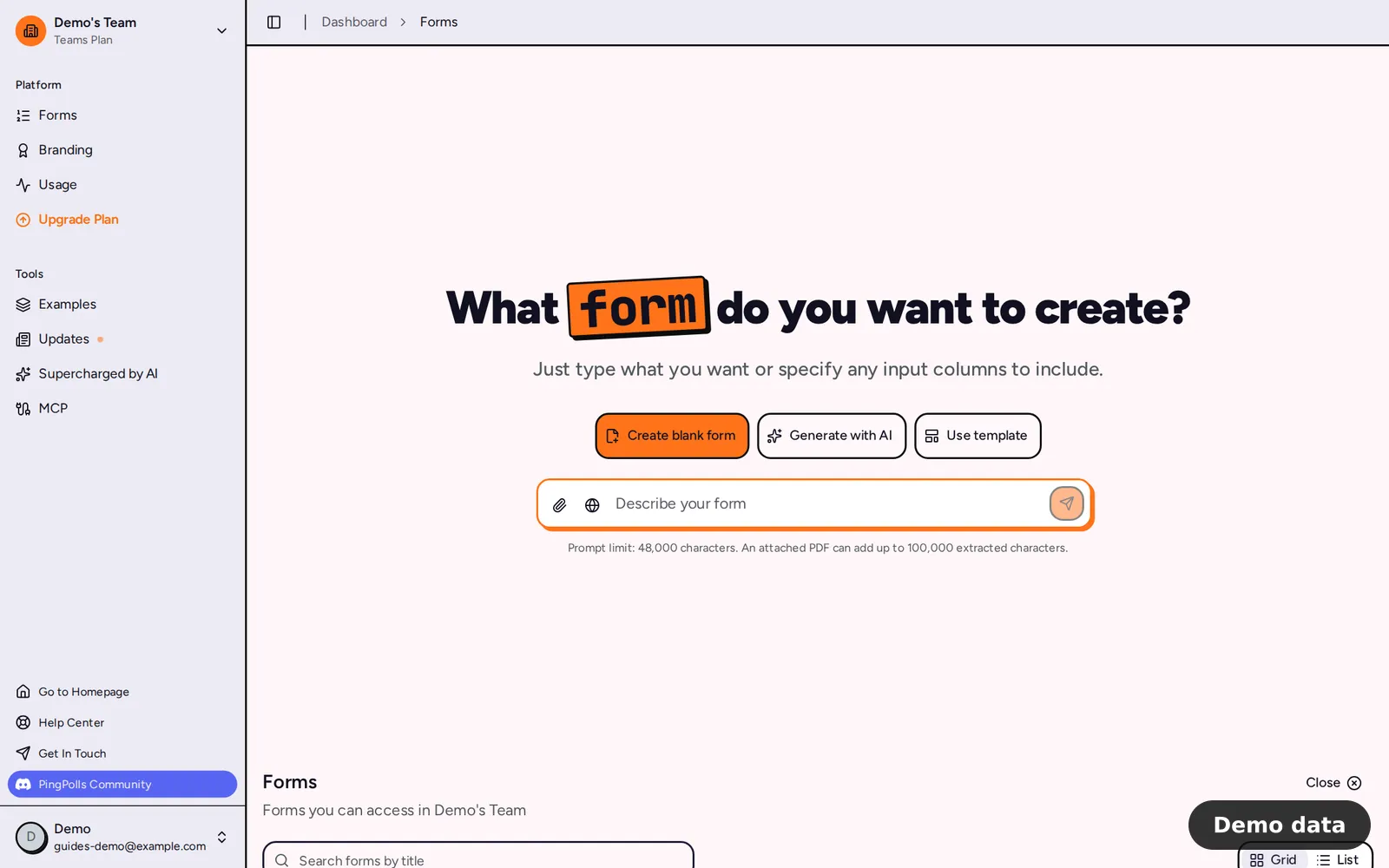
How to start from a template
- Open Forms and click Use template (click New Form first if you already have forms). The six newest templates show as cards, and Browse all templates opens the full catalog.
- In the catalog, type in Search templates to narrow the list. Search looks at template titles only and every word you type has to appear, so "feedback" finds more than "customer product feedback survey".
- Click Use this template on a card. A live preview opens in the template's own language and theme, and you can answer it like a respondent because nothing you enter is saved.
- If it fits, click Use this template again inside the preview. PingPolls copies a draft into your workspace and opens it in the studio. When you open a template from the Forms dashboard instead, the button reads Create form from template.
- Edit the draft the way you'd edit any form. Rename it, swap questions, and adjust the logic, then publish when you're ready (see Create your first form).
If you aren't signed in when you choose a template, PingPolls asks you to sign in first and then brings you back to the same template. Clicking the button twice is safe too, because the request is only processed once and you get a single copy.
Make the copy look like your brand
A template arrives with its own theme, so the first thing Bagas does in the studio is open Form Setup (the cog icon), go to the Theme tab and click Default. That swaps the template's look for his team's saved theme in one click. From there, Customize your form explains colors, fonts and logos, and Share your form and QR code shows how to get the QR code for the package insert once the form is published.
What a template copies, and what it leaves out
The copy includes the whole form, which means the title, theme, language, question style, sections, questions, logic, calculations, custom fields and result pages.
Some things never come with a template, so you set them yourself after copying:
- Access starts on the default link only, with no password, no bot protection and no respondent sign-in.
- Duplicate checks, result email settings, the permalink and data retention are cleared.
- Responses, collaborators and prefill links are not part of a template.
Frequently asked questions
Do my test answers in the preview get saved?
No. The preview is labelled "Answers are not saved", and nothing you enter is stored or tracked.
Is the copy linked to the template?
No. It's an independent draft owned by you, so later changes to the template don't touch your form, and your edits don't touch the template.
Can I save my own form as a template?
Saving templates is limited to the PingPolls content team. To reuse a form you built, open the Forms page and choose Duplicate from that form's menu, which gives you a draft copy without its responses.
What if no template matches my search?
The catalog offers Clear search so you can try fewer or different words from the title, and the Contact support link at the top of the page is there if you'd like a hand getting started. You can also skip templates and build a form with AI from a short description.
