Bagas's developer runs the brand's automations on a self-hosted n8n, because it keeps buyer data on servers the company controls. The n8n integration starts a workflow there with every response, so a warranty registration from the QR code in the package can update the internal database, ping the support channel and file a ticket in one go. Answers arrive labeled by question, which means the nodes after the trigger can use them by name.
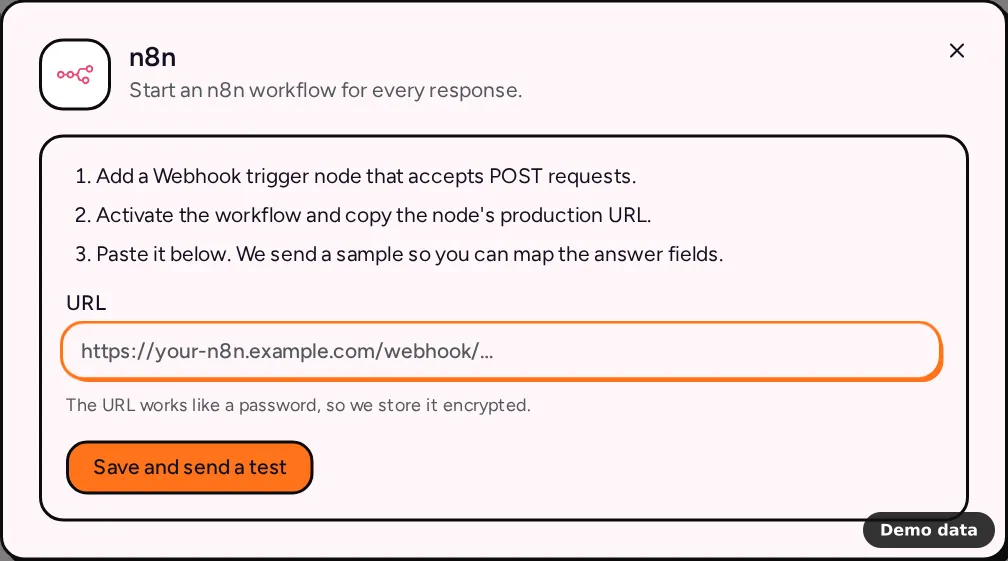
How to connect n8n
- In n8n, add a Webhook trigger node that accepts POST requests.
- Activate the workflow and copy the node's production URL.
- In PingPolls, open your form, go to the Integrations tab and click n8n under Automation.
- Paste the address into URL. It looks like
https://your-n8n.example.com/webhook/…. - Click Save and send a test. We send a sample response so you can map the answer fields in the next nodes.
The URL works like a password, because anyone who has it can start your workflow, so we store it encrypted and only show a short hint of it afterwards. To change it, paste a new one under Replace the URL.
What your workflow receives
Each response is one JSON POST, the same flat shape Make receives:
event, which isform.submittedfor real responses andtestfor the sample,form_idandform_title,response_idandsubmitted_at,answers, an object with one entry per question, keyed by the question label,questions, the same answers as a list ofkey,labelandvalue, in the order of your form, which is handy for a loop over every answer.
Answers are already readable. Choice questions arrive as the option labels respondents picked, phone numbers arrive in international format, file uploads arrive as PingPolls links that check access before downloading, and ranking and sentiment answers arrive as a list of options with their scores. Your calculated custom fields appear among the answers under their names.
Self-hosted n8n
We call your n8n from our servers, so a self-hosted instance has to be reachable from the internet:
- The URL uses HTTPS on port 443, so an instance on a custom port like 5678 needs a reverse proxy in front.
- The host resolves to public addresses only, never a private or local network.
- Redirects are not followed, so paste the final address.
- The workflow answers within 20 seconds. If it does slow work, have the Webhook node respond right away and let the rest of the workflow carry on.
Limits and plan notes
n8n works on every plan, including Free. A form has one n8n connection, which starts one workflow, and that workflow can branch as much as you like. Responses are sent one at a time, in runs that start every minute. If n8n can't be reached, is busy or has a server error, we try again with growing waits, from 30 seconds up to one hour, for at most 10 attempts, and the Activity panel shows each response's status.
Frequently asked questions
I want to verify that a request came from PingPolls. How?
The n8n integration sends the flat payload without a signature. If your workflow needs signed requests, use webhooks instead, which sign every body with HMAC-SHA256, and point them at your n8n Webhook node.
Can I send responses collected before I connected?
Yes. Open Activity in the n8n dialog and click Send existing.
What else can I connect?
The integrations overview lists every provider, including the ones still marked "Coming soon".
