Bagas runs CRM and community for a consumer brand, and the feedback he collects through a QR code in the package only helps once it reaches the tools his team already opens every morning. Integrations take care of that hand-off. Each time someone submits your form, we send the response to the tools you connected, so you stop exporting files and pasting rows by hand every Monday.
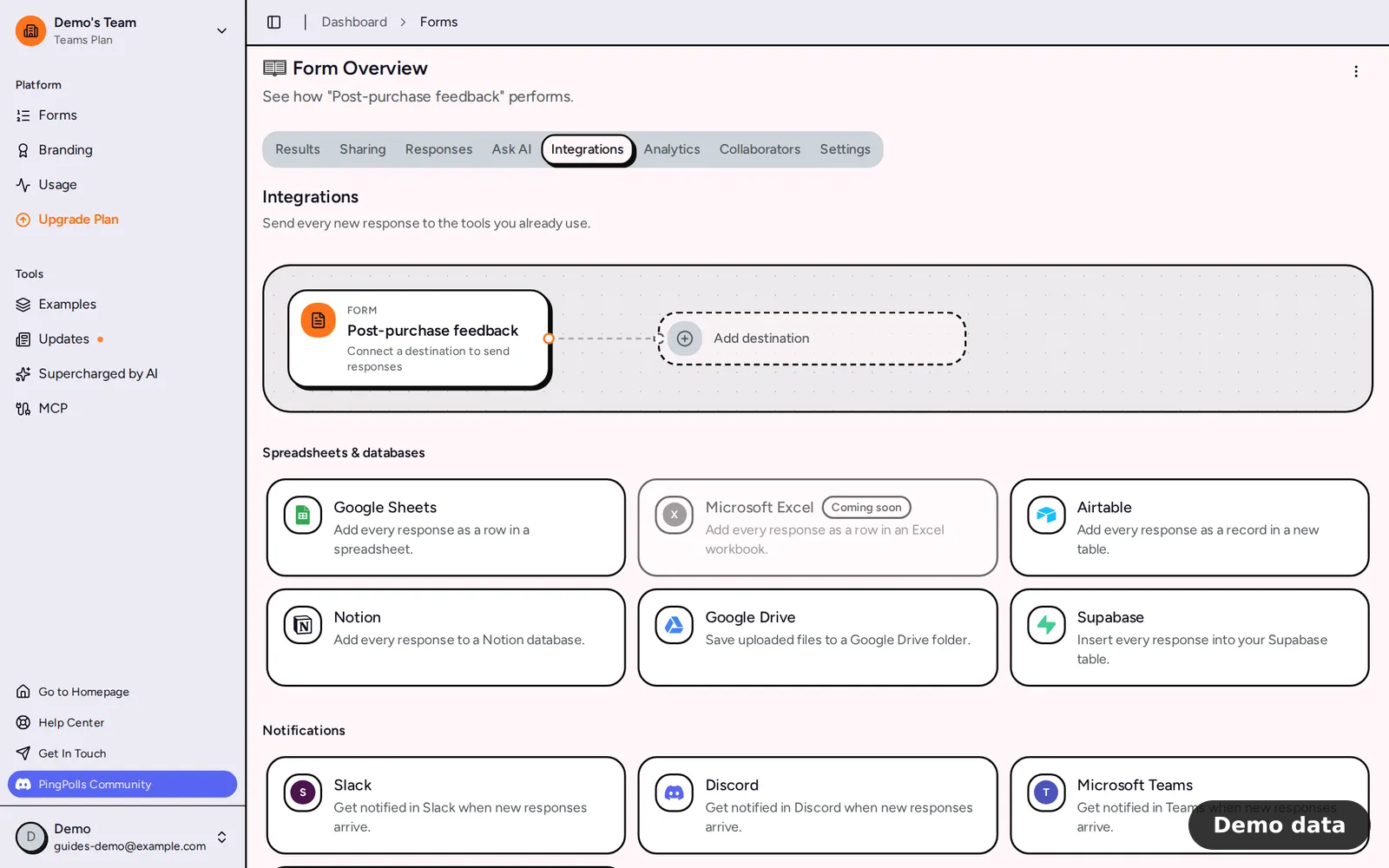
How to connect an integration
Every integration lives on the form it belongs to, so you set it up once per form.
- Open the form from your forms dashboard and go to the Integrations tab.
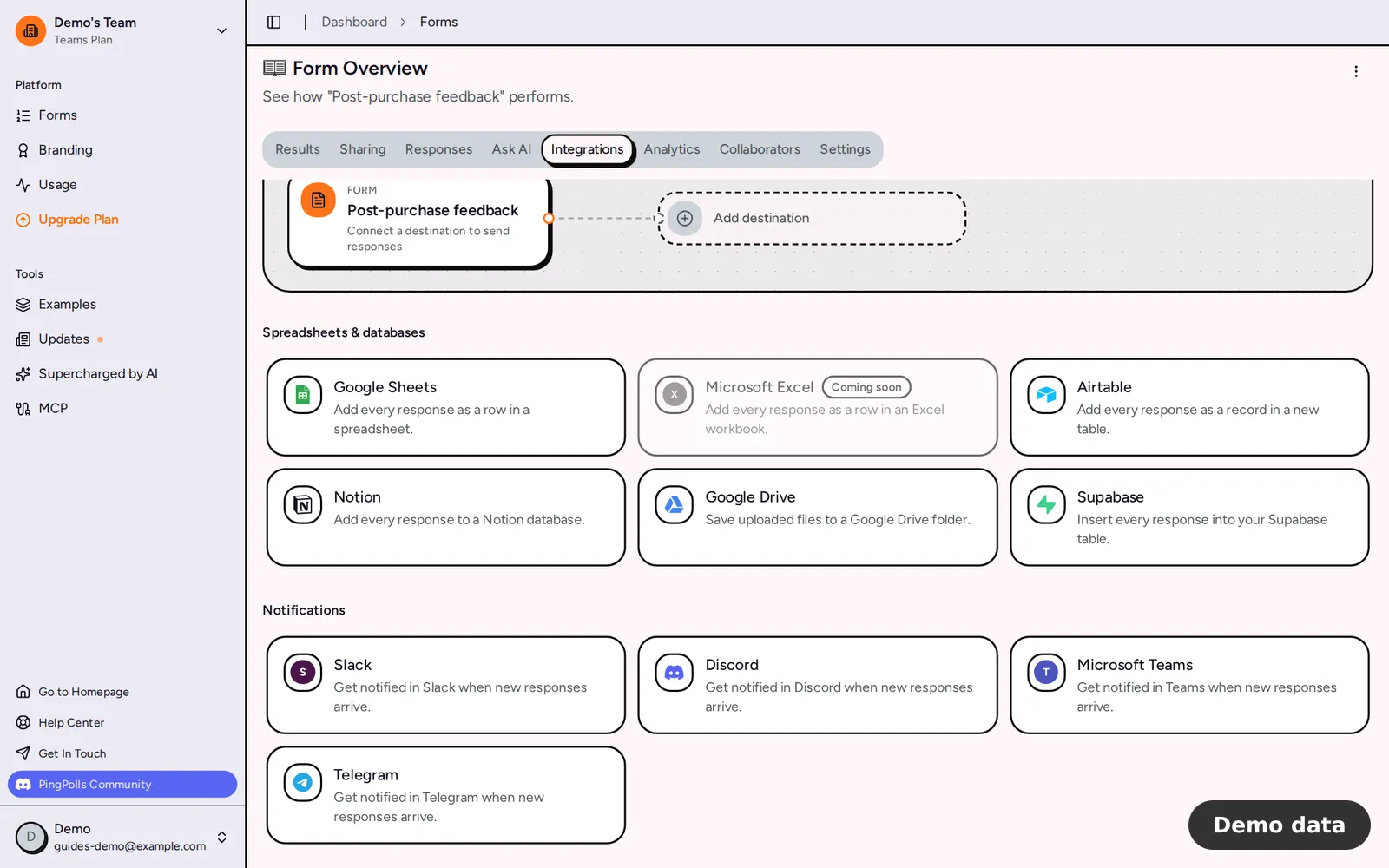
- Pick a provider tile. Tiles are grouped into Spreadsheets & databases, Notifications, Automation, CRM & email marketing and Tracking.
- Follow the setup in the dialog that opens. Depending on the provider, you either sign in to your account (for example Connect Google Sheets), paste a URL or key, or type a tracking ID.
- Tell us where responses go, such as a spreadsheet, a chat channel or which answers fill which CRM fields, and save.
When the badge next to the provider name reads Active, new responses start flowing. A form holds one connection per provider, and only the form owner (or the team owner) can manage integrations, so collaborators see "Only the form owner can connect integrations." instead of the tiles.
Every integration, by group
Spreadsheets & databases
Google Sheets, Microsoft Excel, Airtable and Notion add one row, record or page per response, with a column for each question. Google Drive copies the files respondents upload into a folder, and Supabase inserts each response into a table in your project. These destinations add new columns as your form grows, and they skip a response whose Response ID is already there, so a retry never leaves you with duplicate rows.
Notifications
Slack, Discord, Microsoft Teams and Telegram post a short notice such as "3 new responses · Form name" with a link back to PingPolls. Answers are never sent to the chat, which keeps personal details out of busy channels. Read chat notifications for the setup of each app.
Automation
Webhooks send signed JSON to your own endpoint. Make and n8n start a scenario or workflow from a webhook URL you paste.
CRM & email marketing
Odoo creates a lead in Odoo CRM for every response, and you decide which answer goes to which field. HubSpot, Mailchimp, Salesforce and Zoho CRM appear in the same group marked "Coming soon", which means they aren't open for connections yet, so for now a webhook or Make can carry responses to those tools.
Tracking
Meta Pixel and Google Analytics run in the respondent's browser and count form views and completed responses, without sending answers.
Which integrations need a paid plan
Salesforce, Zoho CRM, Odoo, Meta Pixel and Google Analytics need the Pro or Teams plan, so on Free their tiles carry a Pro badge and connecting one fails with "This integration provider requires a paid plan". Every other provider works on every plan. If a paid plan lapses, these five stop delivering with the same message and the tracking scripts stop loading on your form. The plans and pricing guide lists what else each plan includes.
Check what was sent
Click Activity in an integration's dialog to see each response and where it stands. Filters show All, Waiting, Needs attention, Not sent and Sent, and the buttons next to them let you Send existing responses that were never offered, Send waiting now and Retry failed. Each response row also has its own Retry when something went wrong. Webhooks, Make, n8n and the chat apps also have Send a test, which is the quickest way to check a URL before real answers arrive.
Frequently asked questions
How quickly do responses arrive?
We send due responses in runs that start every minute. Spreadsheets, Airtable, HubSpot and Supabase receive many rows in one go, chat apps get one notice for everything that arrived since the last run, and other providers receive responses one at a time.
What happens when a tool is down?
We try again after 30 seconds, then keep doubling the wait up to one hour, for at most 10 attempts, and we honor the wait time a provider asks for. When access was revoked or the setup changed, the badge shows Reconnect or Needs attention and responses wait until you fix it.
Can I send responses I collected before connecting?
Yes. Spreadsheet and database destinations have Include earlier responses switched on by default, and the button Export existing responses now queues them right away. For other providers, use Send existing in the Activity panel.
Why does a tile say Coming soon?
That provider is listed but can't be connected on PingPolls yet, so the tile is greyed out and can't be selected.
