David is writing his thesis in Notion, with a page for each chapter and his supervisor's comments in the margins, so it makes sense for his questionnaire responses to live there too. The Notion integration adds every response as a page in a Notion database. He can open any response, quote it in his methods chapter and tag it while coding themes, without exporting a file every week.
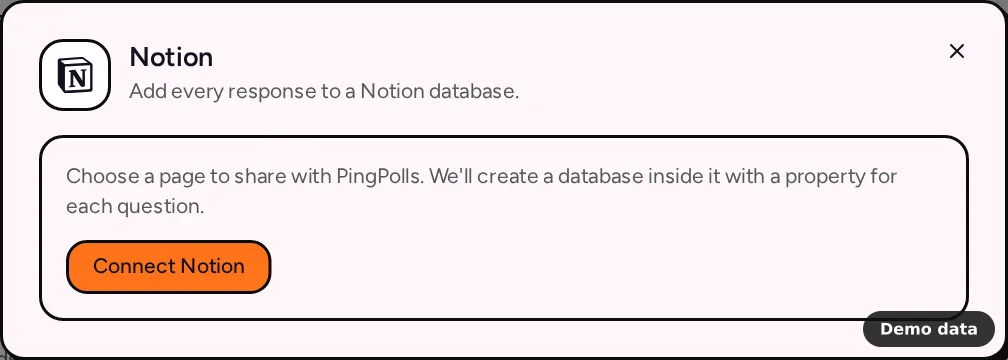
How to connect Notion
- Open your form and go to the Integrations tab.
- Under Spreadsheets & databases, click Notion, then Connect Notion.
- In the Notion window, select the page (or database) PingPolls may use and approve. PingPolls only sees what you share here.
- Back in the dialog, PingPolls asks "Where should responses go?" Pick one of the two options below.
Create a new database
Choose Create a new database, pick a page under Choose a page for the database, and click Create database. We create a database named after your form inside that page, with a property for each question.
Use an existing database
Choose Use an existing database, pick it under Choose a database, and click Use this database. Existing pages stay as they are, and any properties your questions need are added to the database.
What each page holds
Each response becomes one page. The page title (the "Submission" property in a database we create) shows the first answer in the response, so the list stays readable at a glance. Every question gets its own property, along with Response ID, Submitted at as a date, and your calculated custom fields. In a database you already have, answers adapt to the property type, so a number property receives numbers and an email property receives the email answer.
Choice questions arrive as the labels people picked, phone numbers arrive in international format, and file uploads arrive as PingPolls links that check access before downloading. Ranking and sentiment questions get one property per option with its score, which is handy when you sort or chart them.
When you add a question and publish again, the next response adds the missing property first. Before creating a page, we look for one with the same Response ID, so a retried send never adds the same response twice.
Responses from before you connected
Include earlier responses is on by default, so responses collected before you connected are added in the background by a daily run, 100 at a time. To add them right away, click Export existing responses now in the setup.
Limits and plan notes
Notion works on every plan, including Free. A form has one Notion connection, and only the form owner (or the team owner) can set it up. Pages are added in runs that start every minute. If access is revoked in Notion, the badge shows Reconnect and responses wait until you reconnect.
Frequently asked questions
The page list is empty. What now?
Nothing has been shared with PingPolls yet, and the dialog says "No pages are shared with PingPolls." Click Reconnect and select at least one page in the Notion window.
Can my supervisor see the responses?
Anyone you share the Notion page with can see the database inside it, so share it the way you'd share any thesis page. Our guide on creating a thesis questionnaire covers the rest of David's setup.
Can I rename properties?
Rename the database freely, but keep property names that match your questions, because answers are matched to properties by name. A renamed property gets a fresh copy with the question's name on the next response.
Why can't I select Notion?
If the tile is greyed out with a Coming soon badge, the connection isn't open on PingPolls yet. Until then, Google Sheets works the same way, and the integrations overview lists everything else.
