Bagas wants each feedback response from the QR code in the package to do several things at once: add a row to the team's tracker, alert the product lead when a buyer reports a defect, and tag the buyer for a follow-up only if they opted in. Make handles that kind of branching well, and the Make integration starts your scenario with every response. The answers arrive labeled by question, so building the rest of the scenario feels like filling in a form rather than parsing code.
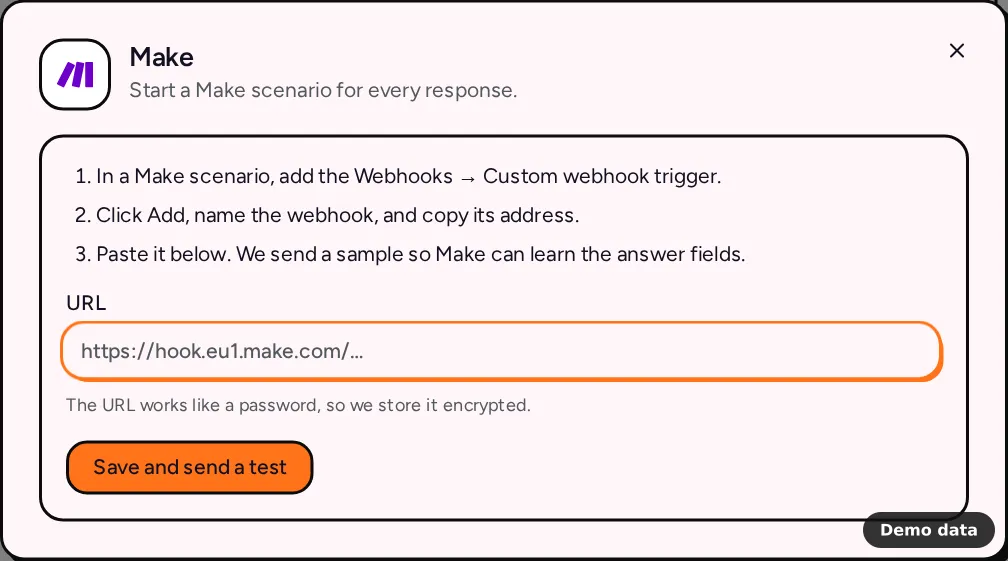
How to connect Make
- In Make, open or create a scenario and add the Webhooks module with the Custom webhook trigger.
- Click Add, give the webhook a name, and copy its address.
- In PingPolls, open your form, go to the Integrations tab and click Make under Automation.
- Paste the address into URL. It looks like
https://hook.eu1.make.com/…, with your Make region in the middle. - Click Save and send a test. We send a sample response, so Make can learn the answer fields and you can map them in the next modules.
The URL works like a password, because anyone who has it can start your scenario, so we store it encrypted and only show a short hint of it afterwards. To change it, paste a new one under Replace the URL.
What Make receives
Each response is one JSON POST with these fields:
event, which isform.submittedfor real responses andtestfor the sample,form_idandform_title,response_idandsubmitted_at,answers, an object with one entry per question, keyed by the question label,questions, the same answers as a list ofkey,labelandvalue, in the order of your form. Use it when two questions share a label or you want to loop over every answer.
Answers are already readable. Choice questions arrive as the option labels respondents picked, phone numbers arrive in international format, and file uploads arrive as PingPolls links that check access before downloading. Preference ranking and sentiment card answers arrive as a list of options with their scores. In the sample, every answer reads "Sample answer", so you can see each field without waiting for a real response.
Limits and plan notes
- Make works on every plan, including Free.
- The URL must be a Make custom webhook address on
hook.<region>.make.com. Anything else is rejected with "Use a Make custom webhook URL". - A form has one Make connection, which starts one scenario. Inside Make you can branch that scenario as much as you like.
- Responses are sent one at a time, in runs that start every minute. If Make can't be reached, is busy or has a server error, we try again with growing waits, from 30 seconds up to one hour, for at most 10 attempts.
Frequently asked questions
My scenario didn't learn the fields. What now?
Make only learns the structure while the webhook module is listening for data. Set the webhook module to listen in Make, then click Send a test in the PingPolls dialog, so the sample arrives while Make is waiting for it.
Can I send responses collected before I connected?
Yes. Open Activity in the Make dialog and click Send existing.
How is this different from a webhook?
A webhook sends a signed payload keyed by question ID, which suits your own code. Make receives a flat version keyed by question label, which suits no-code mapping. If your team self-hosts its automations, the n8n integration receives the same flat payload.
