Conditional logic lets your form react to what people answer. Say you're Rina and you want to know which lipstick shade to send to the factory. A follower with warm undertones shouldn't have to rate cool shades she would never buy, so you send her to the warm-shade section and finish with a result page that recommends her match. Everyone answers fewer questions, and the answers you collect come from the people each shade is meant for.
In PingPolls, logic lives in a Logic block that you place inside a section. Each block checks one or more conditions (the If part) and then does one thing (the Do part). Logic is free on every plan.
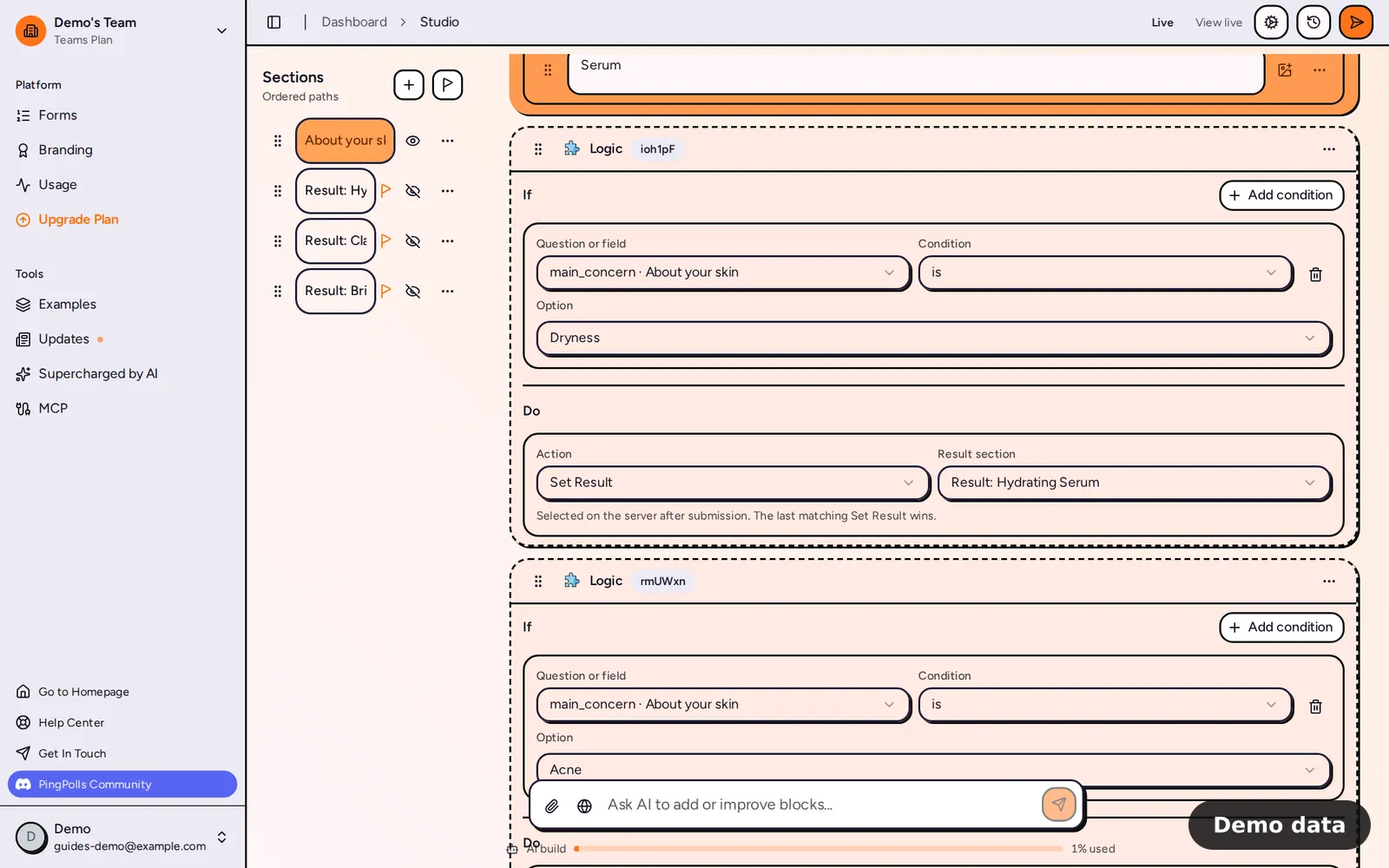
How to add conditional logic
- Open your form in the studio and go to the section where the decision should happen.
- Click Add block and pick Logic under Structure.
- Under If, click Add condition, choose the question or field to check, pick a condition (such as "is", "contains" or "greater than") and set the value to compare with. You can compare with a fixed value or with another question or field.
- Add more conditions if you need them, and choose All conditions (every condition must match) or Any condition (one match is enough).
- Under Do, choose exactly one action:
- Go to section now jumps to another section straight away.
- Set next section after finishing lets the respondent finish this section first, then continues where you point.
- Set Result picks the result section shown after submitting.
- Disable submit stops the respondent from submitting.
- Update custom field adds to, subtracts from, multiplies or divides a number field, which is how you build scores (see calculated custom fields).
- Need a second action? Add another Logic block, because each block holds one action.
- Click Preview to walk through every path, then Publish.
A logic block with no conditions applies its action to every response, which is handy when you always want to set the same next section.
Hide sections that only logic should reach
Rina's warm and cool sections shouldn't appear for everyone, so she hides them with the eye button in the section navigator. A hidden section is reached only when a logic action sends someone there, and in the Results tab its heading carries a "Hidden" badge so you remember why fewer people answered it.
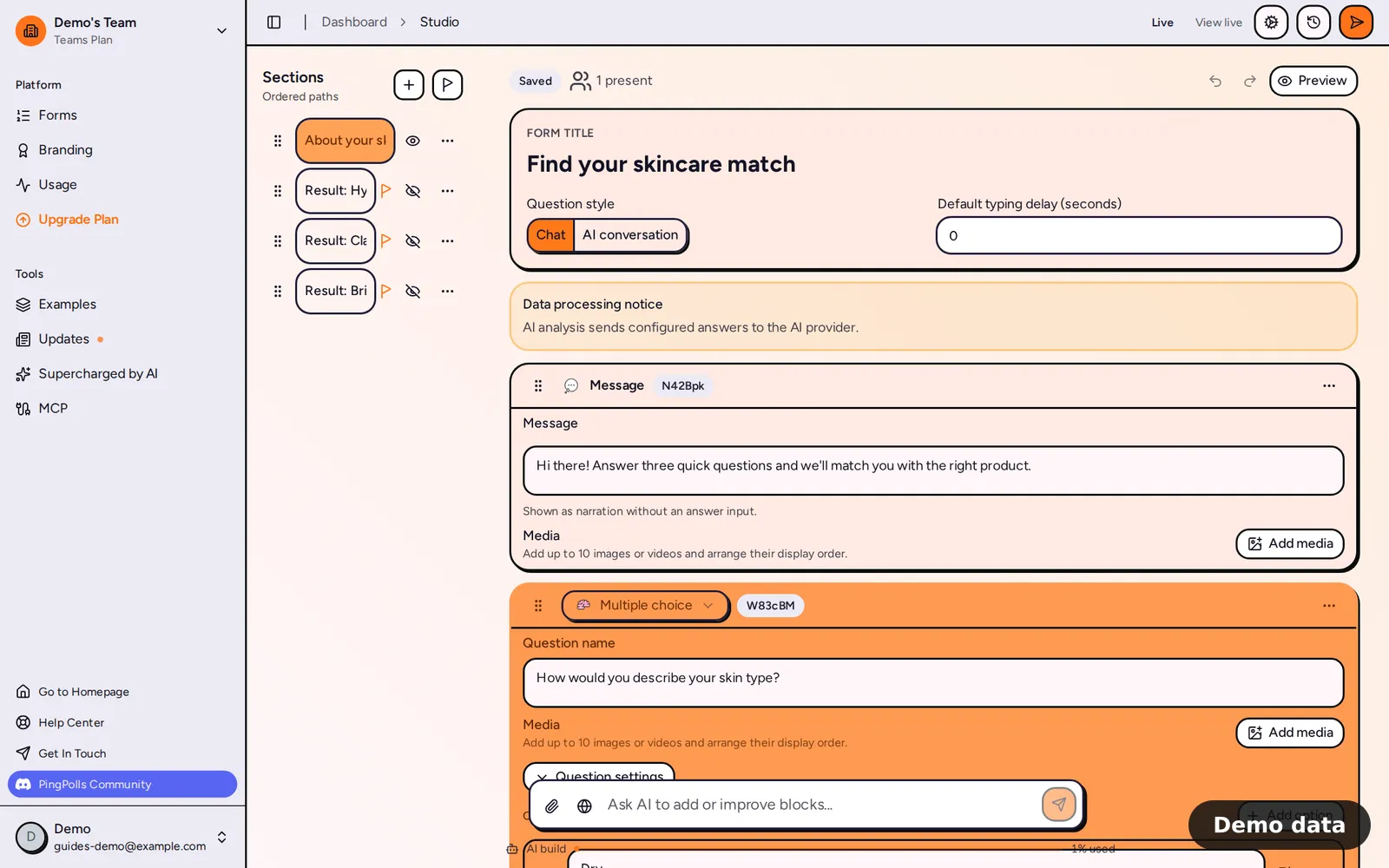
What logic can check
Conditions can use text, number, date and choice questions, plus number and text custom fields. File upload, phone, preference ranking and sentiment card questions can't be used in a condition.
- Text: is, is not, contains, does not contain, starts with, ends with (and their opposites), is empty, is not empty.
- Number: greater than, less than, at least, at most, equals, does not equal, is empty, is not empty.
- Date: is on, is not on, is after, is before, is on or after, is on or before, empty, not empty.
- Single choice: is, is not, is any of, is none of, empty, not empty.
- Checkboxes: includes, does not include, includes any of, includes none of, empty, not empty.
If you turned on the "Other" option for a choice question, "Other" shows up as an option you can check too.
Publishing checks
Because a broken path would leave someone stuck, we check your logic before the form goes live. Publishing stops and tells you what to fix when a logic block has no action ("needs a Do action before publishing"), when an action points to a section, field or result that no longer exists, when custom fields refer to each other in a loop, or when a visible section can't be reached by anyone.
Frequently asked questions
Is conditional logic a paid feature?
No. Logic and custom fields are free on every plan.
What if several Set Result actions match?
The result is chosen on the server after the respondent submits, and the last matching Set Result wins. If none match, the first visible result section shows. Read more in show a result page after submit.
What happens when a respondent goes back and changes an answer?
If the new answer changes the route, the later path is rebuilt and answers from the branch they left are removed, so your data never mixes two paths.
Can AI set up the logic for me?
Yes. When you build a form with AI, it can add logic blocks and custom fields for you, and you can edit them in the studio like any other block. For a full walkthrough, see how to create a product quiz.
