A dropdown question keeps a long list of options inside a picker, and the respondent types a few letters to find their answer instead of scrolling through all of them. On Pro and Teams it can also load extra options from your own API as the respondent types, so the list can be as long as your own database.
Elena, a researcher at an agency, uses it when a retail client wants feedback per store. Her client already has a store list behind an API, so she connects the dropdown to it, and each respondent types the name of their town and picks the store they visited. Because every answer is a store from the client's own list, she can group the results by store without cleaning up typos first.
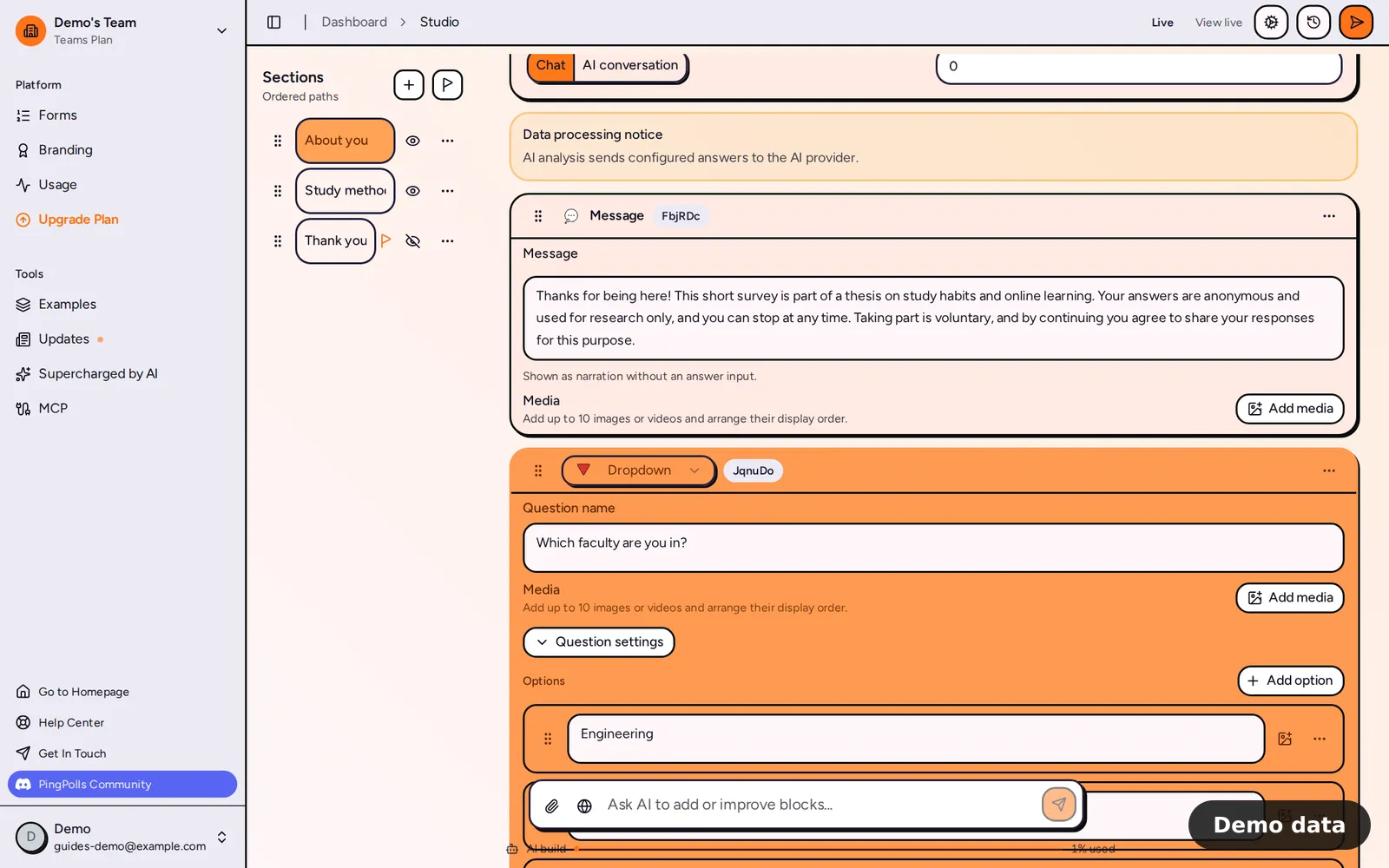
How to add a dropdown question
- Open your form in the studio, click Add block and choose Dropdown under Questions.
- Write your question, for example "Which store did you visit?"
- Under Options, click Add option for each fixed option (labels can be up to 160 characters). Each option can carry an image or a video.
- Click Question settings. Turn on Other option if respondents may type an answer that isn't on the list.
- Turn on Allow multiple if respondents may pick more than one, then set Minimum selected and Maximum selected.
- Click Preview and try the search yourself.
What your respondents see
The question stays on the left of the chat and the picker opens on the right. Typing filters the list, and "No item found." shows when nothing matches. A single-answer dropdown closes as soon as the respondent picks, while a multiple-answer one stays open and keeps to your minimum and maximum. If they choose "Other", they must describe their answer in a field of up to 160 characters before they can move on.
Load options from your own API
External search needs an active Pro or Teams plan. It is the right choice when your list is too long to type in by hand or changes often, like Elena's store list.
- In Question settings, find External search and click Set up.
- In API URL, enter your HTTPS address with
{query}where the respondent's text goes, for examplehttps://api.example.com/stores?search={query}. Type @ to insert an earlier answer into the address, such as the respondent's country. - Type a sample in Test text and click Test. PingPolls calls your API from your browser (it waits up to 5 seconds) and checks that it can find the list, the ID and the label of each option. If it can't, it suggests paths that work, and Use them fills them in.
- Open Advanced if you want to set the Results list path, Option label path, Option ID path or Extra query parameters yourself.
- Click Save.
When the form is live, results from your API appear after your fixed options. A search starts once the respondent has typed 2 characters and paused briefly, and up to 20 results show. The respondent also sees a notice that search results come from an external service and that what they type is sent to it.
That notice matters, because the respondent's browser calls your API directly and PingPolls never passes the search through its own servers. Your API therefore has to be a public HTTPS address that allows requests from your form's domains (CORS), and it should limit how many requests it accepts. Never put a secret such as an API key in the address, since every respondent's browser can see it. To turn the feature off, click the trash button next to External search.
How the results show
In the Results tab you can show a dropdown question as a bar or a pie chart, and the pie shows up to 8 slices with the smallest grouped into "Other options". Dropdown answers can also be the condition in conditional logic, so you can send people who picked a given option to a section of questions about it.
Limits
- External search needs an active paid plan (see Plans and pricing). If the plan lapses, respondents get "Searchable dropdown is unavailable".
- A form with an external search can't be saved as a template yet (see Start from a template). Duplicating the form copies the search setup.
- The answer type can be switched to multiple choice or checkboxes.
Frequently asked questions
Do I need an API to make a dropdown searchable?
No. Typing to filter your fixed options works on every plan. The API is only for loading options you haven't typed into the studio.
What happens if my API is down?
Your fixed options still show, but no results from your API appear, so keep the most common answers as fixed options or turn on Other option.
Does PingPolls see what respondents type into the search?
The search text goes from the respondent's browser straight to your API. PingPolls stores only your search setup, encrypted, and the option the respondent finally picks is saved as their answer like any other.
