A phone question gives your respondent a country picker next to a number field that formats the number as they type. That means you get numbers with the right country code and a valid length, instead of a column of numbers typed five different ways.
Bagas, who leads CRM and community at a consumer brand, needs this because the marketplaces his brand sells on keep buyers' contact details to themselves. A QR code in the package opens a short chat-style feedback form, and at the end he asks whether the buyer would like to hear from the brand on WhatsApp. Only buyers who say yes see the phone question, so every number in his list comes from someone who opted in.
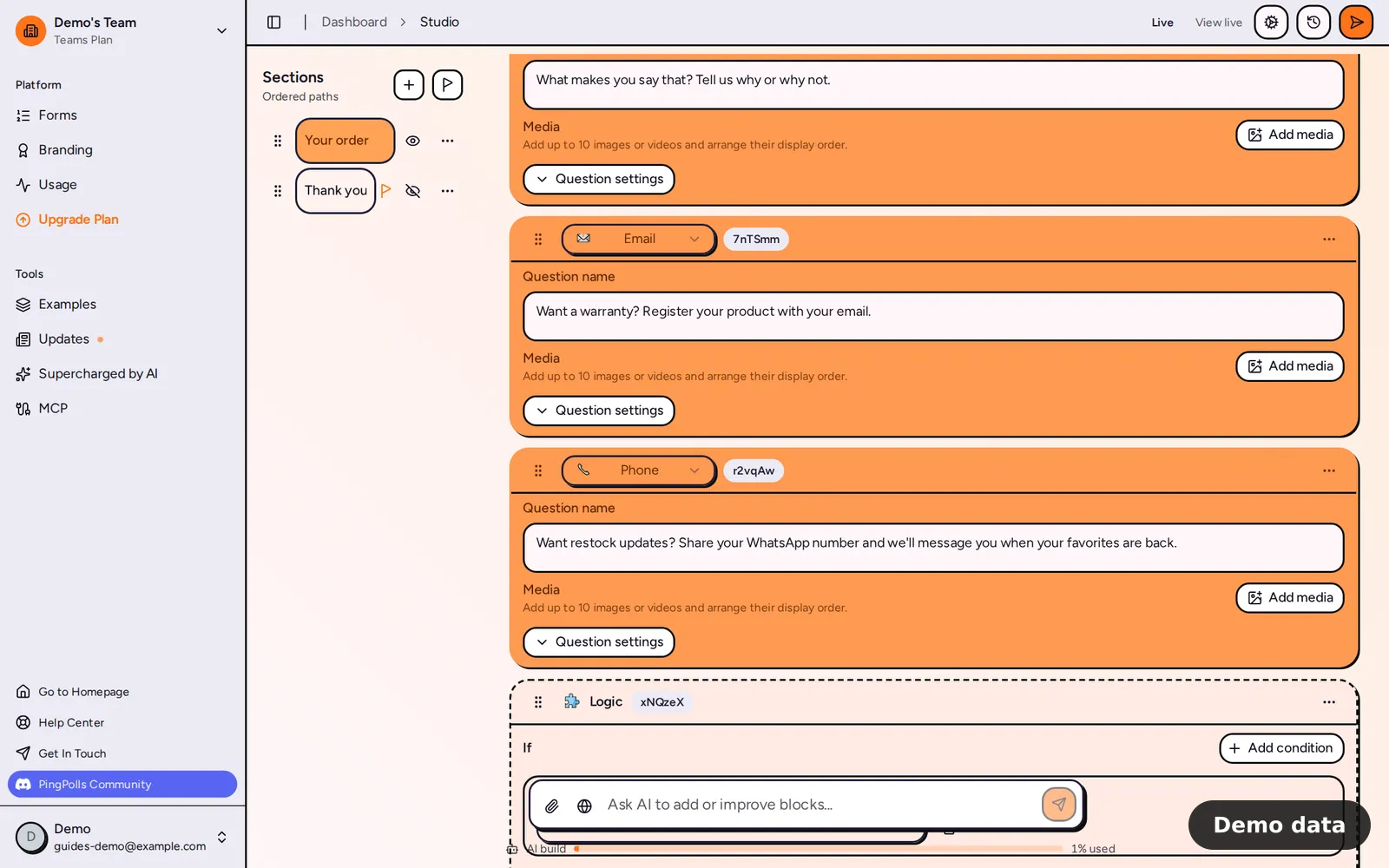
How to add a phone question
- Open your form in the studio, click Add block and choose Phone under Questions.
- Write your question, for example "What's your WhatsApp number?"
- Click Question settings. Under Allowed countries, search by country name or code (such as +62) and pick the countries you accept. They show as badges you can remove. Leave the list empty to allow All countries.
- Under Default country, keep Auto (browser language) to let PingPolls guess from each respondent's browser, or pick one of the allowed countries to be sure. If you later remove that country from the allowed list, the default goes back to Auto.
- Turn off Required if the number is optional, so respondents get a Skip button.
- Click Preview and type a number yourself.
Ask only the people who opt in
A phone question works best after a yes. Here is how Bagas sets it up with conditional logic.
- Add a multiple choice question such as "Can we send you updates on WhatsApp?" with the options Yes and No.
- Put the phone question in its own section and hide that section, so respondents reach it only through logic.
- Add a logic block after the choice question, set its condition to the choice question being Yes, and pick Go to section now with the phone section as the destination.
Buyers who answer No never see the phone question, and the ones who answer Yes have already agreed before they type their number.
What your respondents see
The respondent sees a country button and a number field that formats as they type (up to 24 characters). The country list holds only the countries you allowed, gets a search box when there are more than 6, and is disabled when fewer than 2 are allowed, because there is nothing to choose.
To pick the starting country, PingPolls tries their previous answer, then your default, a guess from their browser, the form language's region, the first allowed country and finally the United States, and uses the first one that is allowed. If they paste a number that starts with a plus sign, such as +62 812…, the picker switches to that country, as long as it is allowed. A number that is not valid for the chosen country is refused with "Enter a valid phone number", so nothing goes through until it is fixed.
How the numbers show
In the Responses tab, each number shows with its country flag in the national format, plus a copy button. You can also filter the column for an exact number, and the match ignores how the country code was typed, so you still find the right person. From there you can export the list or send each answer on to the tools your team uses (see View and export responses and Integrations).
Limits
- Phone questions cannot use AI analysis, so numbers are never sent to the AI provider.
- A phone question cannot be the condition in conditional logic, so route people with a choice question placed before it.
- The answer type cannot be swapped for another type.
- Phone questions work on every plan, including Free.
Frequently asked questions
Can I accept numbers from one country only?
Yes. Add only that country under Allowed countries. The country button is then disabled, and every answer uses that country's code.
What if a respondent's number is from a country I didn't allow?
They can't pick that country, so they can't submit that number. If your buyers come from several countries, add each of them, or leave the list empty to allow all.
Does the phone question work inside a QR code form?
Yes. It works the same way on the PingPolls link, a custom domain or an embed, so the form behind Bagas's QR code (see how to collect feedback with a QR code) can ask for the number like any other form.
