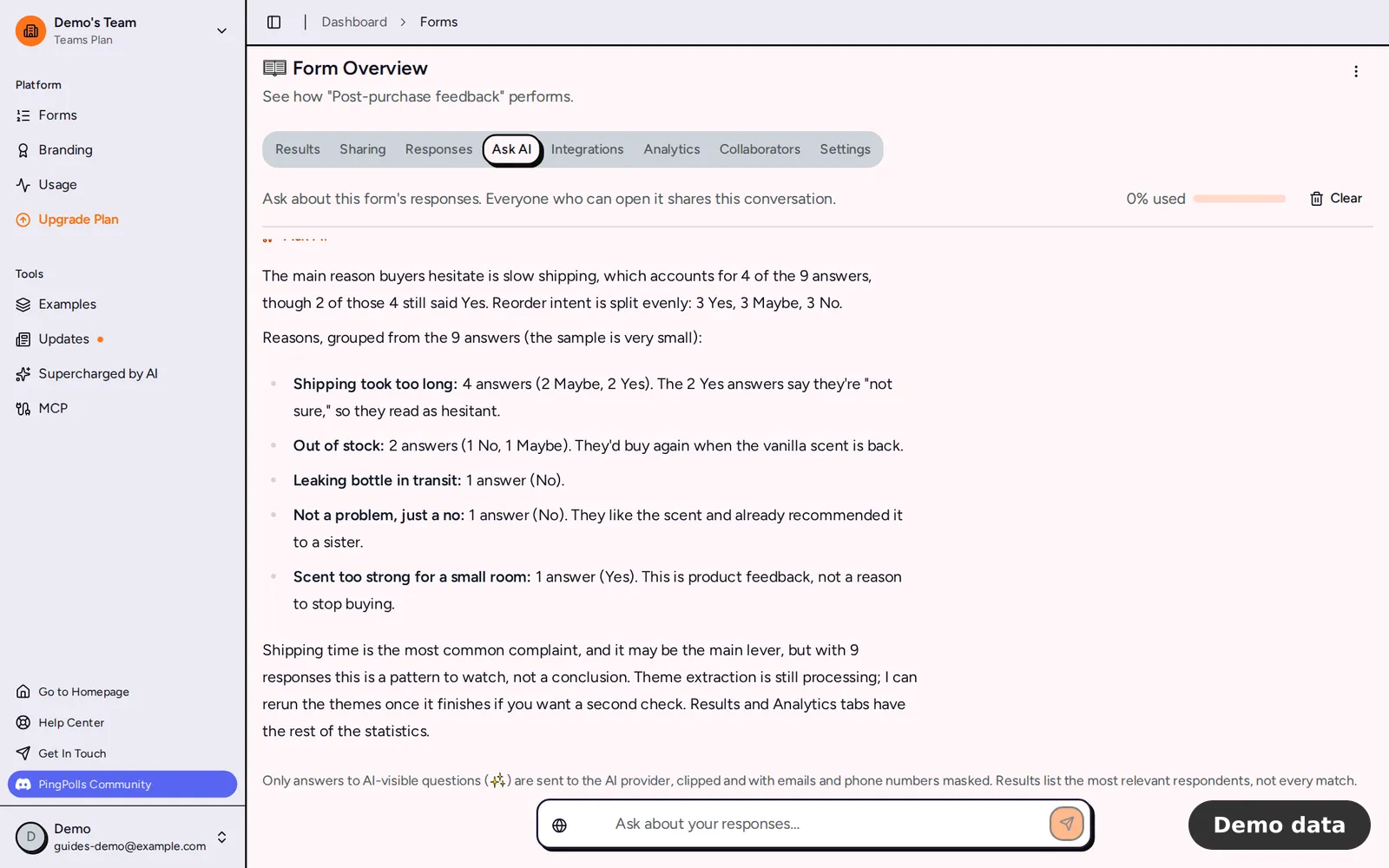
Reading hundreds of open answers one by one takes a day you don't have. Bagas, who leads CRM at a consumer brand, collects feedback through a QR code in the package, and the question he cares about most is why buyers didn't come back for a second order. With Ask AI he types that question into the form's overview and gets the main reasons grouped into themes, with example answers and exact counts, so he can bring a clear answer to the next team meeting.
Ask AI is a chat about one form's responses. Everyone who can open the form shares the same conversation, and each message shows who asked it.
How to use Ask AI
- In the studio, turn on AI analysis (the ✨ switch) in Question settings for each question you want the AI to read, and confirm the "Process this question with AI?" dialog. Respondents then see a note on those questions that their answer will be processed with AI.
- Publish the form and collect responses.
- Open the form from Forms and go to the Ask AI tab.
- Type your question in the box ("Ask about your responses…") and send it. If you're not sure where to start, try one of the suggestions, such as "What are the main themes in the open answers?"
- Read the answer as it streams in. Tables show the first 10 rows, and you can download the full list as a CSV.
What you can ask
Ask AI retrieves, counts and summarizes, so it works best with questions like these.
- Find people. "Find respondents who mention the packaging" searches answers by meaning, not only by exact words. On paid plans it also searches the text of uploaded PDF and text files.
- Count choices. "How many people picked each reason?" returns a chart with exact counts and percentages for a multiple choice, checkbox or dropdown question. You can switch it between Bar and Pie.
- Compare two questions. "Compare where people bought with whether they'd reorder" counts the first question for each option of the second (up to 6 groups) and opens on a grouped Compare chart.
- Find themes. "What are the main themes in why people didn't reorder?" groups open answers by meaning into 2 to 8 themes with 3 example answers each.
- Get a recommendation. "Which follow-up should we try first?" leads with a suggestion, gives the reasons from your data, names the main risk and flags small samples.
Every count comes straight from your database. The AI quotes those numbers and never estimates them. Percentages are of respondents who answered, so a checkbox question can add up to more than 100%.
What the AI can see
- Only questions with AI analysis on. Email and phone questions can never be turned on, and custom fields are never shared with AI.
- Only answers given while AI analysis was on. Answers collected before you turned it on are never sent to AI, which keeps the promise made to respondents at the time.
- Emails and phone-like numbers in answers are masked before the model sees them, and each answer is clipped to 300 characters.
Other questions show to the AI as "Blind column N", so it can filter by them or show them to you but can't read them. Only the form owner can publish a change to which questions are AI-visible.
Themes need enough answers
Themes appear once a question has at least 25 analyzed answers, and they refresh as responses grow by 20% or more. If the answers are too similar, Ask AI says they are too alike to split into themes. For the emotion of each response, look at the Emotion Analysis card in the Results tab.
Limits and plans
- Ask AI doesn't calculate averages, scores, NPS or trends over time.
- Each team has a monthly Ask AI allowance shared across its forms, and Pro gets 12.5x the Free allowance and Teams 62.5x (see plans and pricing). The tab shows a usage meter, and when the allowance runs out the question box is disabled until it resets.
- A team can ask 60 questions per hour, and one question per form runs at a time.
- Questions are 2 to 2,000 characters.
- Web search (Pro and Teams) is the globe switch in the question box. It lets the AI compare your results with public data, using up to 2 searches per question, and each search uses one credit (100 a month on Pro, 500 on Teams).
- CSV links from Ask AI work for 15 minutes and only for the person who asked.
Frequently asked questions
Who can clear the conversation?
Only the team owner. They click Clear conversation and type the form's title to confirm, which deletes the thread for everyone.
Does Ask AI read uploaded files?
On paid plans, yes for text and PDF files up to 20 MB, when the file question has AI analysis on.
Where do I start for a full study?
Pair Ask AI with your export and the form analytics tab. For Bagas's whole setup, from QR code to answers, see how to collect feedback with a QR code.
