Bagas puts a QR code in every package, and buyers scan it while they unbox. Some answer two questions, then the doorbell rings and they never come back. Without partial responses, those two answers stay in the buyer's browser and Bagas never sees them. With partial responses on, PingPolls saves the answers on our server as the buyer goes, so they appear in his Responses tab even though nobody pressed submit, and he can see which questions buyers answered before they left.
Partial responses are included in Pro and Teams, and saving them does not use your response quota. Only a finished submission spends one of your monthly responses.
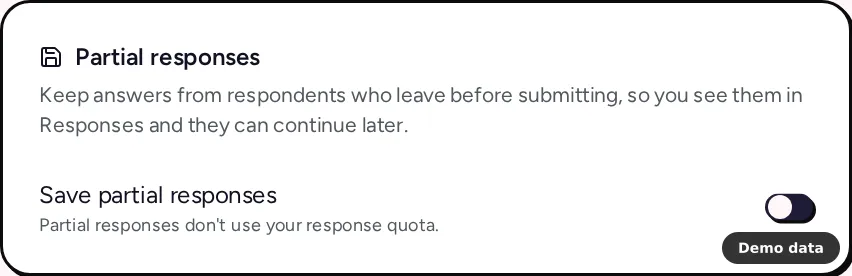
How to turn on partial responses
- Open the form's overview and go to the Settings tab.
- Find the Partial responses card and switch on Save partial responses.
- Click Save settings.
The change applies to the live form as soon as you save and is copied into the studio draft, so your next publish keeps it. Only the form owner or the team owner can change this setting. Collaborators see a note that it is managed by the form owner.
How partial answers are saved
Every form keeps answers in the respondent's browser while they answer, so someone who comes back on the same browser sees their conversation restored. With partial responses on, the form also saves the answers on our server as checkpoints, about half a second after each change. A respondent who wants to start again can discard an unsubmitted response, which deletes it and any files they uploaded.
When the respondent finally submits, the response becomes a normal one. PingPolls checks every answer again, spends one response from your allowance, and then runs AI analysis, statistics and your integrations. Partial responses are not sent to integrations, because those run on submit.
Where to find partial responses
- Open the form's overview and go to the Responses tab.
- Open the Status list and pick partial. The count next to it follows the date range you picked.
The detail viewer opens finished responses only, so partial ones are read from the table. To see where people stop across the whole form rather than one response at a time, pair this with form analytics, where paid plans get a per-question funnel. The view and export responses guide covers the rest of the Responses tab.
Plan notes
On Free, the Partial responses card shows Upgrade to save partial responses, the setting is saved as off, and the server turns away checkpoints with "Server response checkpoints are disabled for this form". If a paid plan ends, partial responses turn off the next time the form's settings are saved. See plans and pricing for what else each plan includes.
Frequently asked questions
Do partial responses count toward my monthly responses?
No. Partial saves never use your quota. A response is only counted when it is submitted.
Can a respondent finish later?
Yes, on the same browser. Their answers are kept there, so opening the form again brings their conversation back and they can carry on and submit.
Do partial responses go to Google Sheets or my webhook?
No. Integrations receive a response when it is submitted, so only finished responses reach them.
