Sooner or later a client looks at your dataset and asks how you know the answers are real. Attention checks were built to catch careless people, and grid questions make cleaning harder still, because a respondent can click straight down one column and the row still looks complete. A single check rarely settles the question, so the answer you can defend is a set of layers, each one catching something the others miss.
This guide walks you through the layers PingPolls gives you, from how the questions are asked to the CSV you hand over, and ends with a short checklist you can paste into your methods note for the client.
Layer 1: Ask questions that are hard to click through
PingPolls shows one question at a time in a chat-like flow, so there is no grid to straight-line through. Where a study compares options, use Preference ranking (this-or-that picks) or Sentiment cards (a like-or-dislike rating per card), because those picks are timed, which matters in Layer 6.
For open questions, set a minimum length in Question settings, so one-word answers are refused with "Use at least N characters". Turning on AI analysis for open questions adds a relevancy check to each answer, which you'll read in Layer 5.
Layer 2: Stop duplicate responses
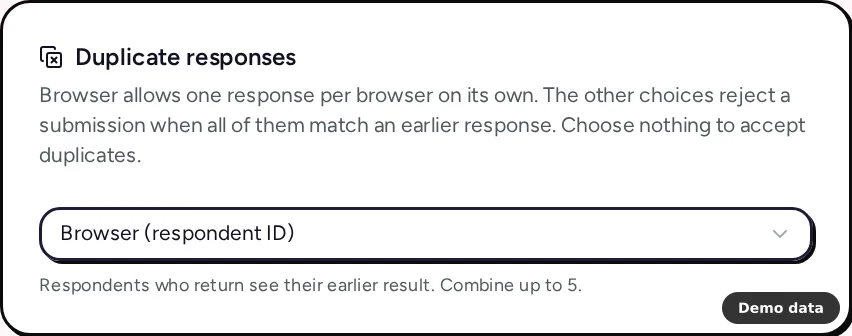
Open the Settings tab of the form overview and find the Duplicate responses card. Browser (respondent ID) allows one response per browser on its own, and you can add up to 5 more parts under Match duplicates by, all of which must match an earlier response before a new one is refused.
- Network (IP address) catches repeat submissions from one connection. Pair it with another part rather than using it alone, because respondents in one office or campus can share an address.
- Verified email matches people who signed in with Google or GitHub (Pro and Teams, see Layer 4).
- Answer to a short text, email, link, phone or number question, such as a respondent ID.
- Custom field values work the same way.
A matching submission is refused with "A matching response has already been submitted" and spends none of your response allowance. If you give each invitee their own ID, your system can request a link per invitee with the ID filled in as a fixed value through the prefill API, and you can then match duplicates on that answer. Prevent duplicate responses and spam covers every combination.
Layer 3: Turn on bot protection
Every form already has a hidden honeypot field and a signed, single-use token that expires after 10 minutes, so a submission that fills the honeypot or replays a token is rejected. On top of that, switch on Require reCAPTCHA in the Bot protection card, which works on every plan. It uses reCAPTCHA Enterprise with a minimum score of 0.3, and Google's script loads only when the respondent submits, never when the form opens. Mention that last point in your privacy notice, because Google may set its own cookies at that moment.
Layer 4: Verify who answered, when you know your audience
For customer panels, B2B studies or employee research, open the email question's Question settings and switch on Use verified email. Respondents then sign in with Google or GitHub before they answer, and the email is locked to the address they signed in with. Pair it with Verified email in Duplicate responses, and each person can answer only once, whatever device they use.
Verified sign-in is available on Pro and Teams. It suits audiences who expect to identify themselves, and it isn't the right choice for an anonymous study.
Layer 5: Watch drop-off and review the answers
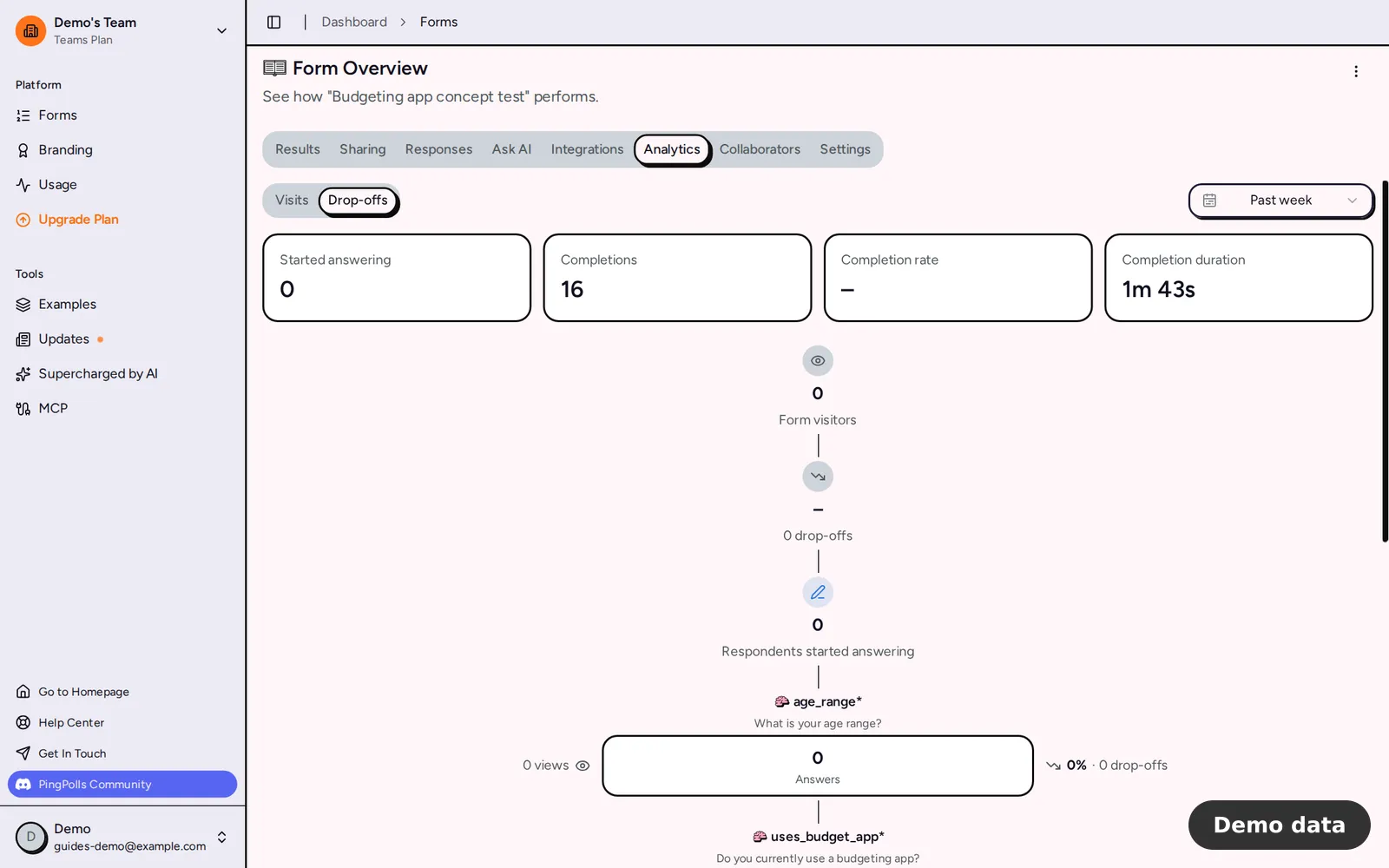
The Analytics tab shows visits, unique respondents, submissions, average visit time and traffic sources on every plan. On Pro and Teams it adds a per-question funnel with reached, answered and dropped counts, the completion rate (submissions divided by starts) and the average completion time. A question where many people drop out is worth rewriting, and an unusual traffic source on one day is worth a closer look before you report. Form analytics and drop-off explains each number.
Then open the Responses tab.
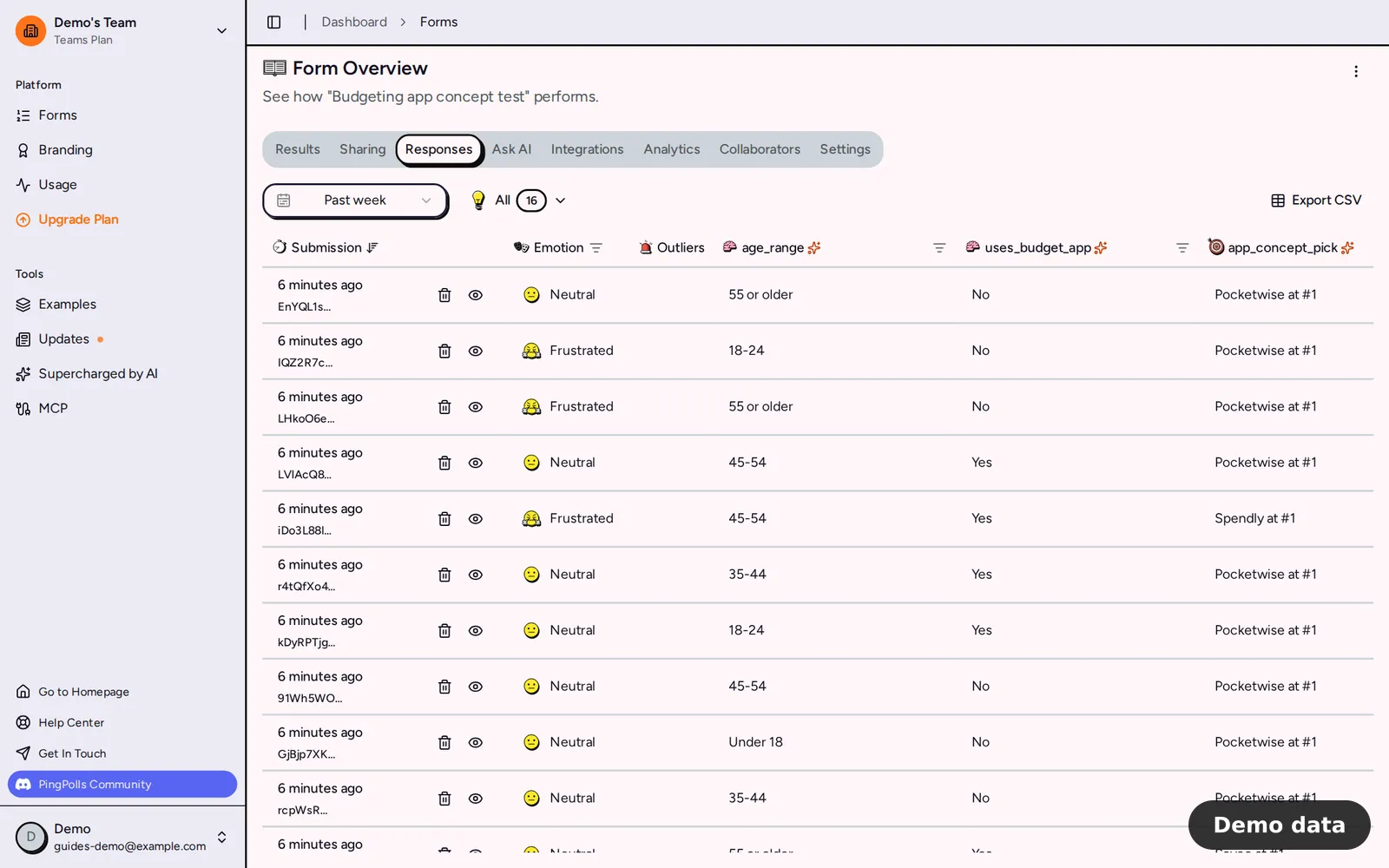
- The Outliers column shows "N Errors" when the relevancy check found answers that don't fit their question or stand far apart from other answers to it. Click it to read the reasons. The check covers open answers on questions with AI analysis on, and choices, dates, numbers and card answers are exempt.
- The Emotion column and its filter help you spot answers written in a very different tone from the rest.
- Deleting a response removes its files, its analytics events and its share of the statistics, and frees its duplicate key, so keep your own log of what you removed and why.
With partial responses on (Pro and Teams), unfinished answers appear under the "partial" status, which shows you what people answered before they left.
Layer 6: Read Certiscore as one more signal
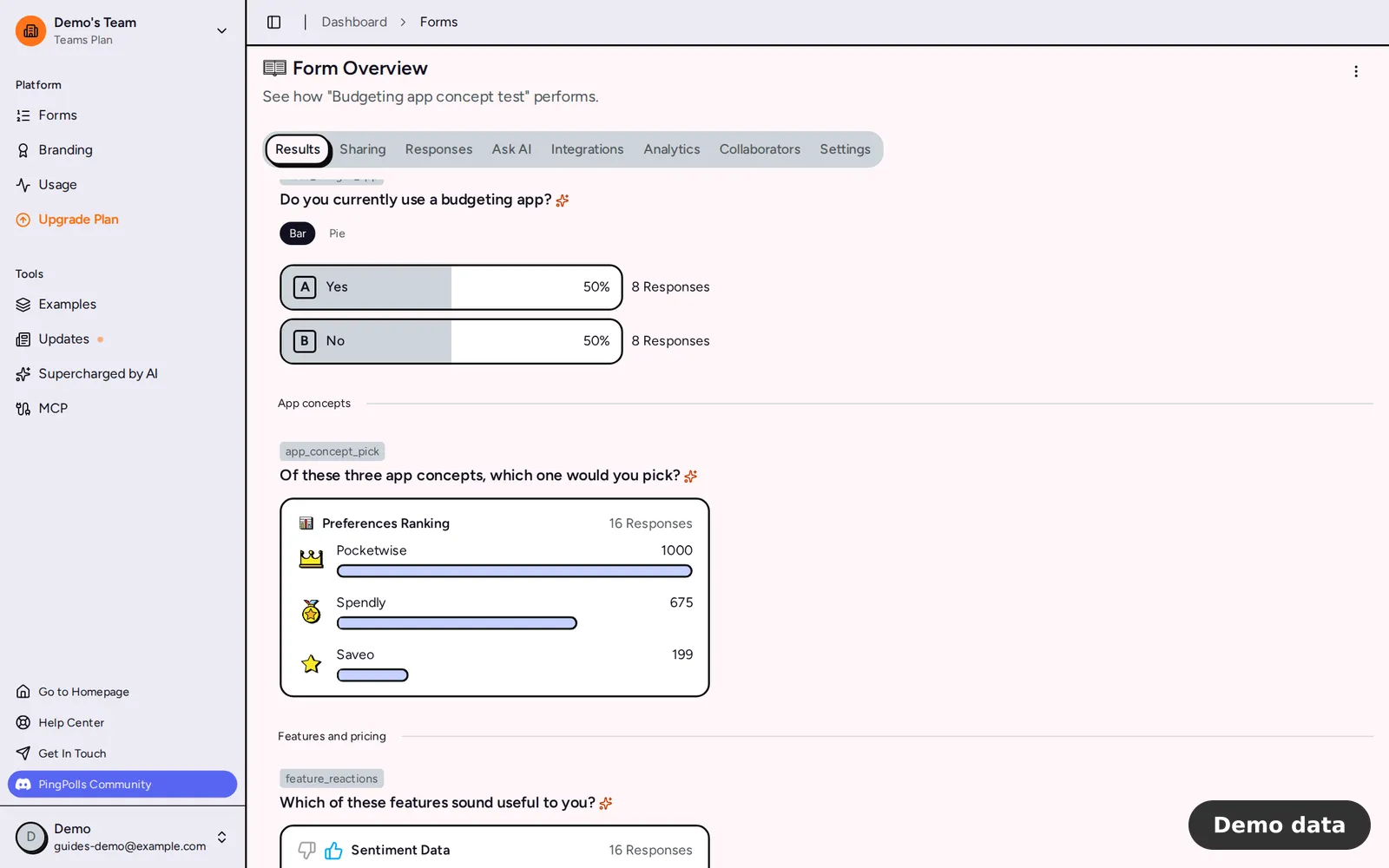
Certiscore™ times each pick on preference ranking and sentiment questions and turns that decision time into a confidence signal next to the answer, so a quick pick counts for more than one made after a long pause. In the Results tab, the preference ranking scores already include it.
Certiscore tells you how sure an answer was. It can't tell you whether a person or a program answered, so treat it as one more quality signal next to your attention checks, never as a bot detector or a verdict on its own. Plain choice questions don't carry it, which is one more reason to ask your key comparison as cards. If your client wants the details, send them our write-up, Read how we analyze answers.
Export the data and write up your checks
The form owner can click Export CSV in the Responses tab, which opens a signed download link valid for 24 hours. The export follows the date range and filters you set, and it has no row limit (the on-screen list stops at the first 100 matching responses). Choices come out as their labels, phones in international format, rankings and sentiment as label: score lines, and files as access-checked links. Any cell that starts with =, +, - or @ gets a leading ', so a spreadsheet never runs it as a formula.
Today the CSV holds answers and custom fields, without emotion or outlier flags, so note those flags from the Responses tab before you hand the file over. View and export responses has the full column list.
Your methods note can then list each layer you used, for example:
- one response per browser, plus the duplicate parts you added;
- honeypot and single-use token on every submission, with reCAPTCHA Enterprise at a minimum score of 0.3;
- verified sign-in, if you used it;
- drop-off reviewed per question in Analytics;
- relevancy flags reviewed and removals logged;
- Certiscore read as a confidence signal next to attention checks on card questions.