Your factory asks for a full minimum order on every new variant, so launching four shades or scents means paying for four batches before you know which one sells. Asking in comments or DMs rarely settles it, because followers who like your brand tend to say they love every option, and that leaves you guessing with real money on the line.
This guide shows you how to put three to five variants in front of your followers and past buyers as this-or-that picks, read which one they chose quickly and which one made them hesitate, and take a ranking to your factory before you pay. Everything here works on the Free plan, which includes 100 responses a month.
What you need before you start
You need a photo of each variant, because each card in a preference ranking or sentiment question can carry one image. You also need a place where your audience already listens, such as your Instagram bio, your Stories or a WhatsApp group of customers who gave you their number. That's all (no factory samples required yet).
Step 1: Build the variant test
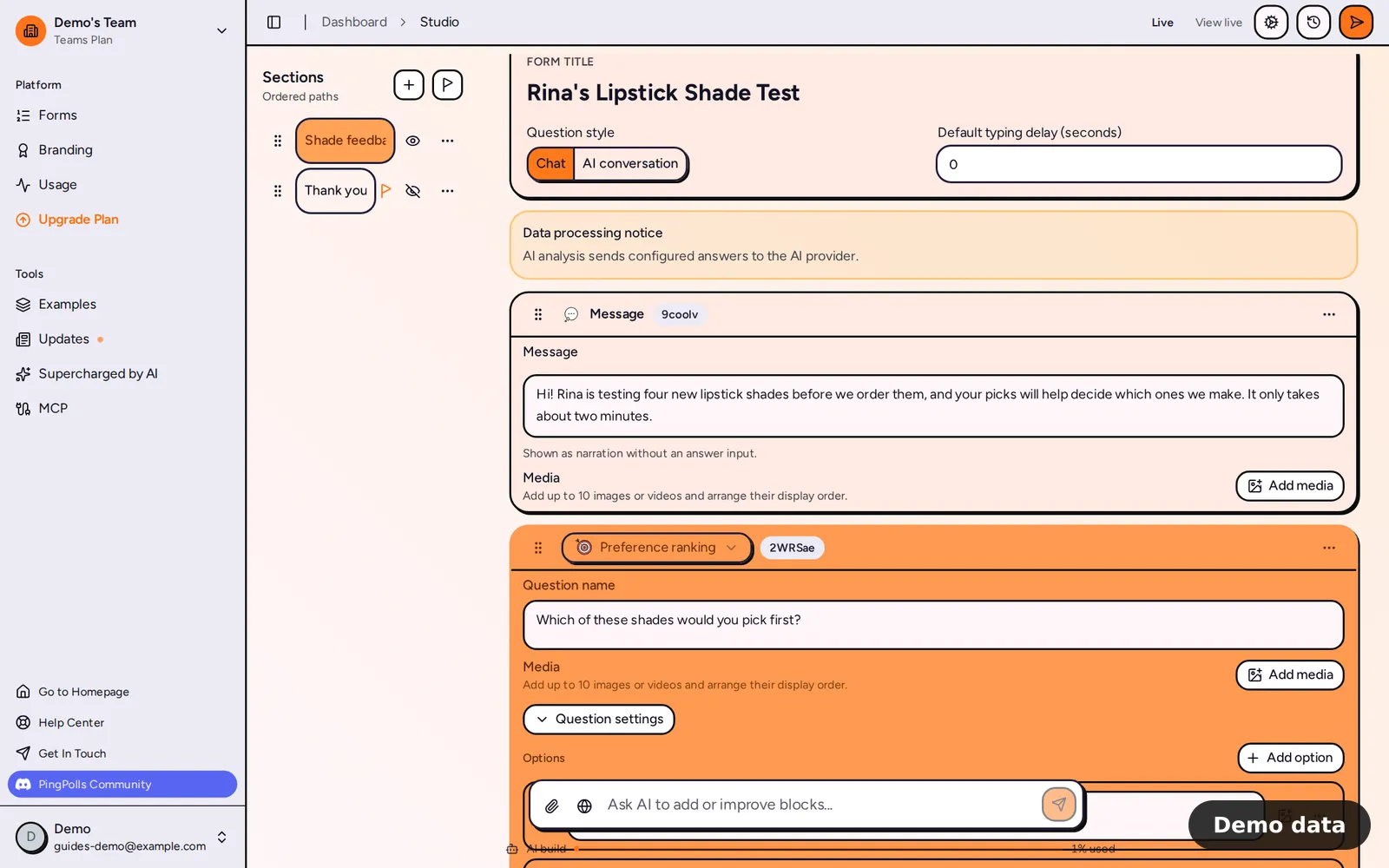
The quickest start is to describe the test to the AI form builder, for example "a test of four lipstick shades for my followers, with a this-or-that question and a like-or-dislike question for each shade". You can also build it by hand in the studio, and the steps below show what goes in either way.
- Open the Add block menu and pick Preference ranking under Questions.
- Write the question as a choice, such as "Which shade would you buy first?". Respondents never sort a list themselves. They see your variants two at a time and tap the one they prefer, and PingPolls builds the ranking from those picks.
- Add one card per variant. A preference ranking holds up to 10 options, and each card takes a label of up to 160 characters and one image, so upload the photo of each shade to its card.
- Add a Sentiment cards question below it with the same variants. Pick the icon set in Question settings (Yes / No, Like / Dislike or Love / Hate). Each card is rated on its own, so you learn whether people like a shade at all, which the ranking alone can't tell you (a shade can come second and still be loved).
- Add one or two context questions. A Multiple choice question such as "Where do you usually buy from us?" helps you see which audience voted, and a Long text question such as "What would make you buy this shade?" gives you the reasons. Respondents can answer long-text questions by voice with the Record answer button.
Read Preference ranking and Sentiment cards for every option these two question types offer.
Respondents see the variants pair by pair, and pairs already implied by earlier picks are skipped, so the test stays short even with five variants. A progress bar shows how far along they are.
Step 2: Publish and share the link
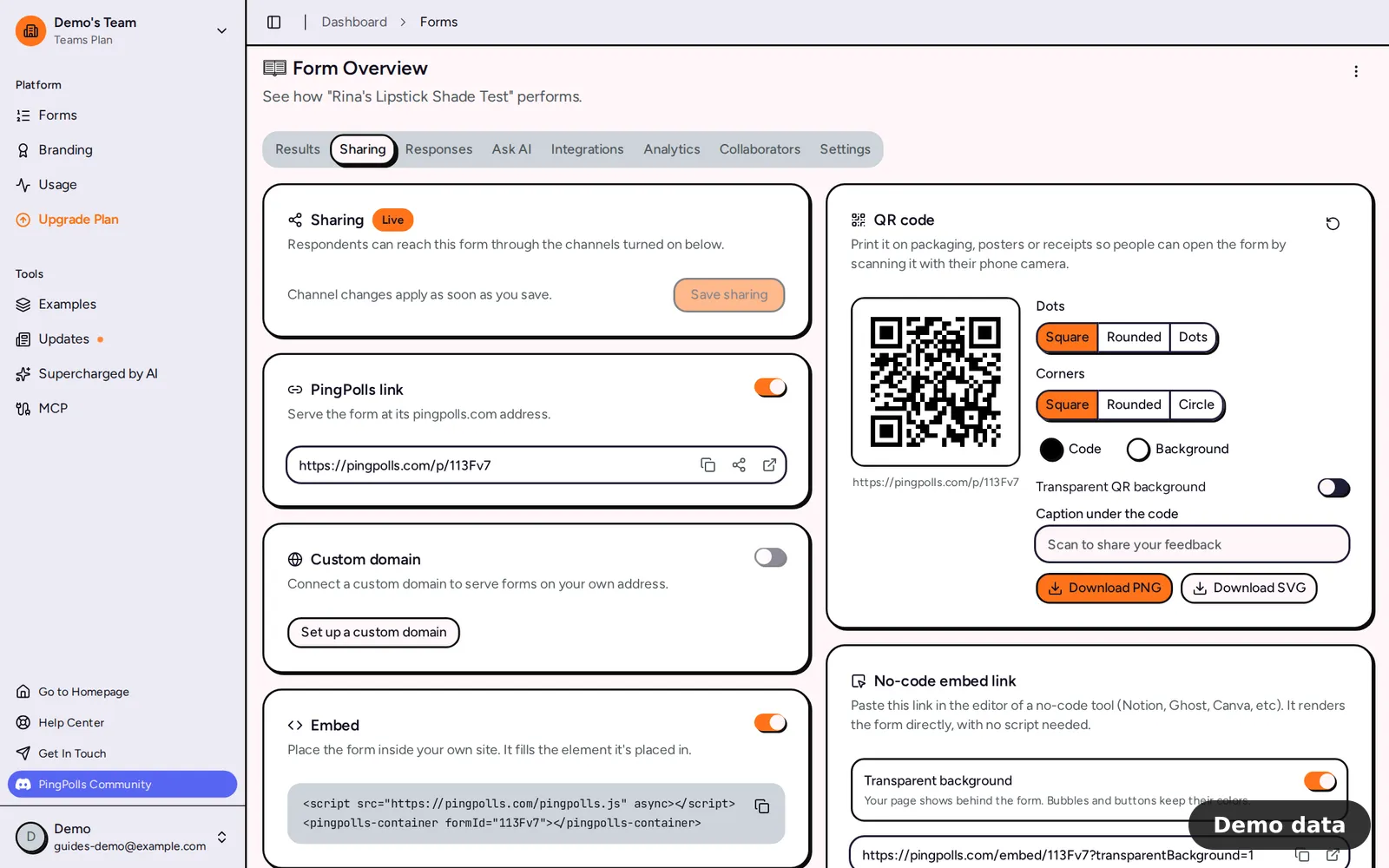
Click Publish in the studio. The form overview opens on the Sharing tab, where the PingPolls link card has buttons to copy, share and open the link.
- Instagram: copy the link and paste it into your bio or a Story link sticker.
- WhatsApp: use the share button on your phone to send the link to a customer group or broadcast list.
- Past buyers: reach the ones you can already contact, such as members of your WhatsApp community or followers who told you they bought. A QR code in the package works for future orders, and the Sharing tab has one ready to download.
To see which channel brought the most votes, add ?utm_source=instagram to the link in your bio and ?utm_source=whatsapp to the one you send in chats. The Analytics tab lists traffic sources from that value on every plan, so you'll know where your most engaged buyers are. Share your form covers the other sharing options.
By default PingPolls accepts one response per browser, so a fan who already voted and opens the link again on the same phone lands on their result instead of voting twice.
Step 3: Read which variant won, and how sure people were
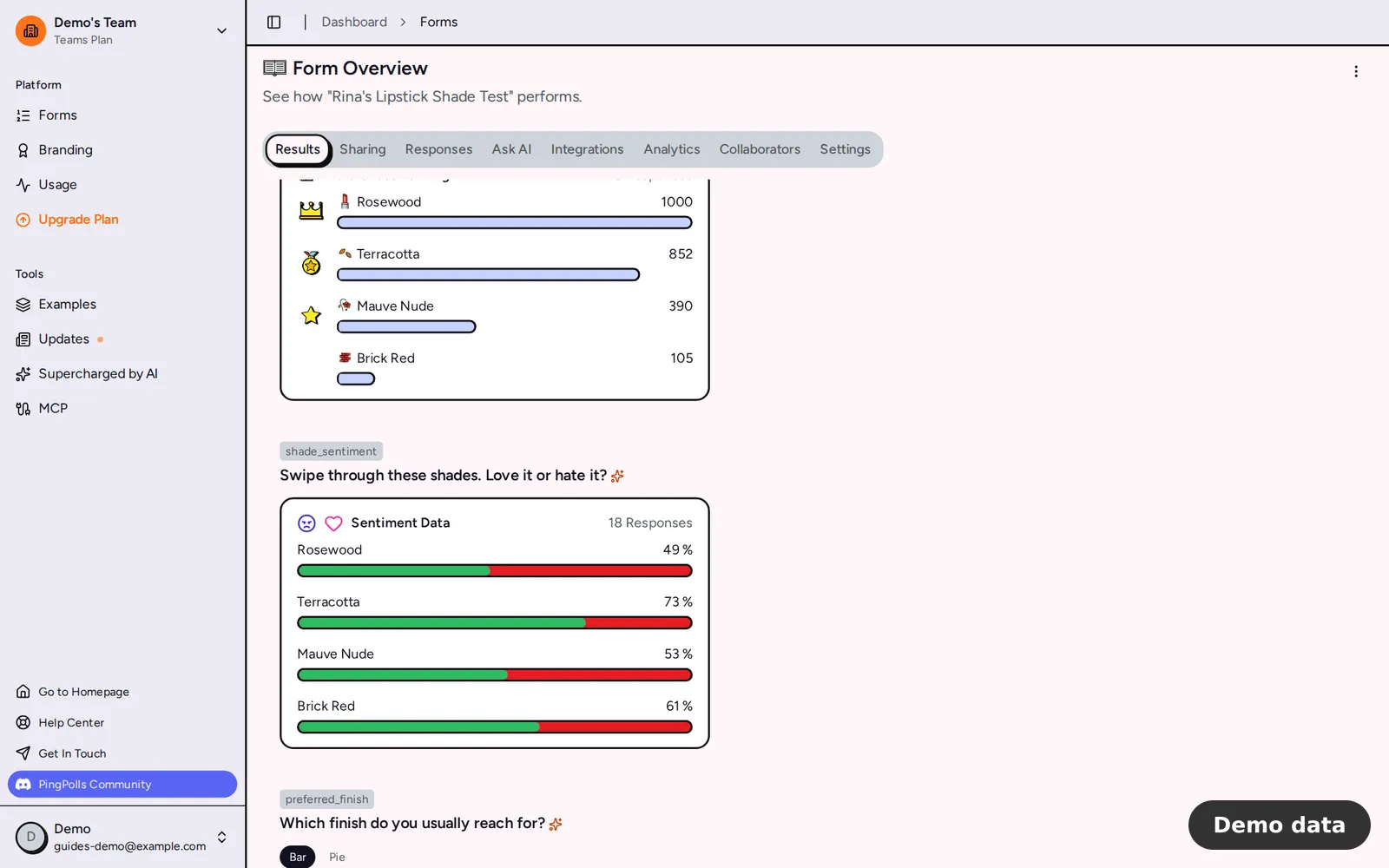
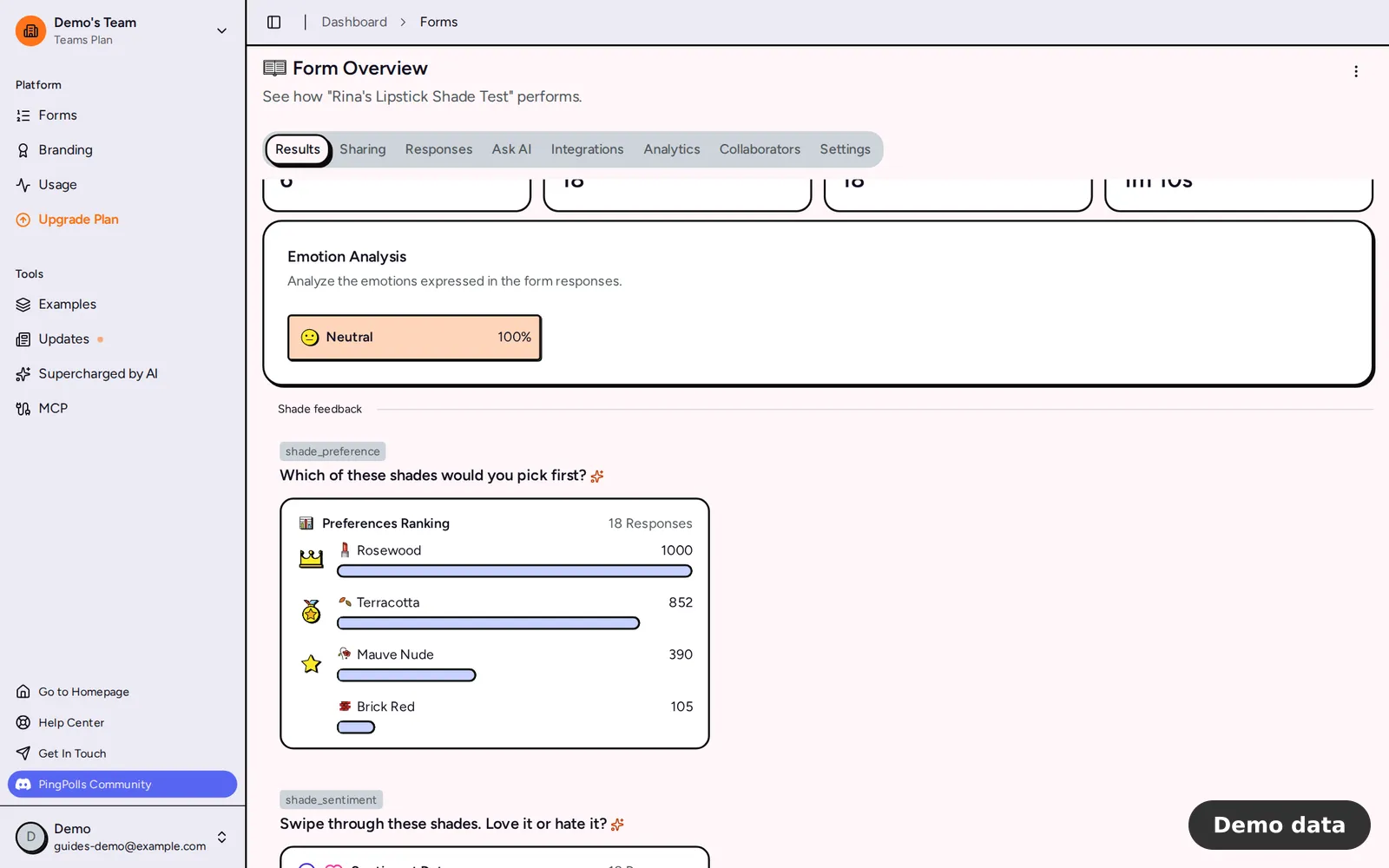
Open the Results tab of the form overview. The preference ranking question shows as "📊 Preferences Ranking" with the number of responses, and your variants are ranked by score, with 👑, 🏅 and ⭐ on the top three.
That score comes from Certiscore™, which times every pick and turns that decision time into a confidence signal, so a quick pick counts for more than one made after a long pause. It tells you how sure people were, which makes it one more signal for your decision rather than a sales forecast. If you want the details, see Read how we analyze answers.
The sentiment question shows as "Sentiment Data", with the percentage of people who liked each variant. Read the two side by side, because a variant that wins the ranking and is liked by most people is a safer order than one that only wins the ranking.
The Responses tab lets you go one level deeper. Filter the preference column to "Responses that ranked any of these first", then read what those people wrote in the long-text question, so you know why your winner won. If AI analysis is on for that question, the Emotion Analysis card in Results also shows how people felt in their own words.
Step 4: Take the ranking to your factory
A screenshot of the Preferences Ranking chart is often enough for a conversation with your factory. If you want the raw answers, the form owner can click Export CSV in the Responses tab, and rankings and sentiment come out as readable label: score lines. Every answer can also land in a spreadsheet as it arrives through the Google Sheets integration, which works on the Free plan.
When the top two variants are close, run a second, shorter test with just those two, because a head-to-head with fresh respondents settles it faster than a bigger first round.
Limits worth knowing
- A preference ranking holds up to 10 options and a sentiment question up to 20 cards, with one image per card.
- Preference ranking and sentiment questions can't be prefilled, and they can't be used as conditions in logic.
- The Free plan includes 100 responses a month, Pro 2,000 and Teams 10,000. When a team runs out, the form says it isn't accepting responses until the allowance resets.
- The Results tab works on every plan. In Analytics, ranges beyond 7 days and the per-question funnel need a paid plan.